- پروگرامرها
- دما و رطوبت
- سایر ماژول ها
- سنسور بخار سرد
- کی پد و جوی استیک
- ماژول GPS-GPRS
- ماژول رله و سوییچ
- ماژول شبکه
- ماژول نمایشگر
- ماژول های RF
- ماژول های RFID
- ماژول های پخش صدا
- ماژول های پردازش تصویر
- ماژول های تاریخ و ساعت
- ماژول های تغذیه – ولتاژ – جریان
- ماژول های ذخیره داده
- ماژول های شتاب سنج و ژیروسکوپ
- ماژول های مبدل
- ماژول های محافظ شارژ باتری
- ماژول های مولد پالس
- ماژول ولتمتر و آمپرمتر
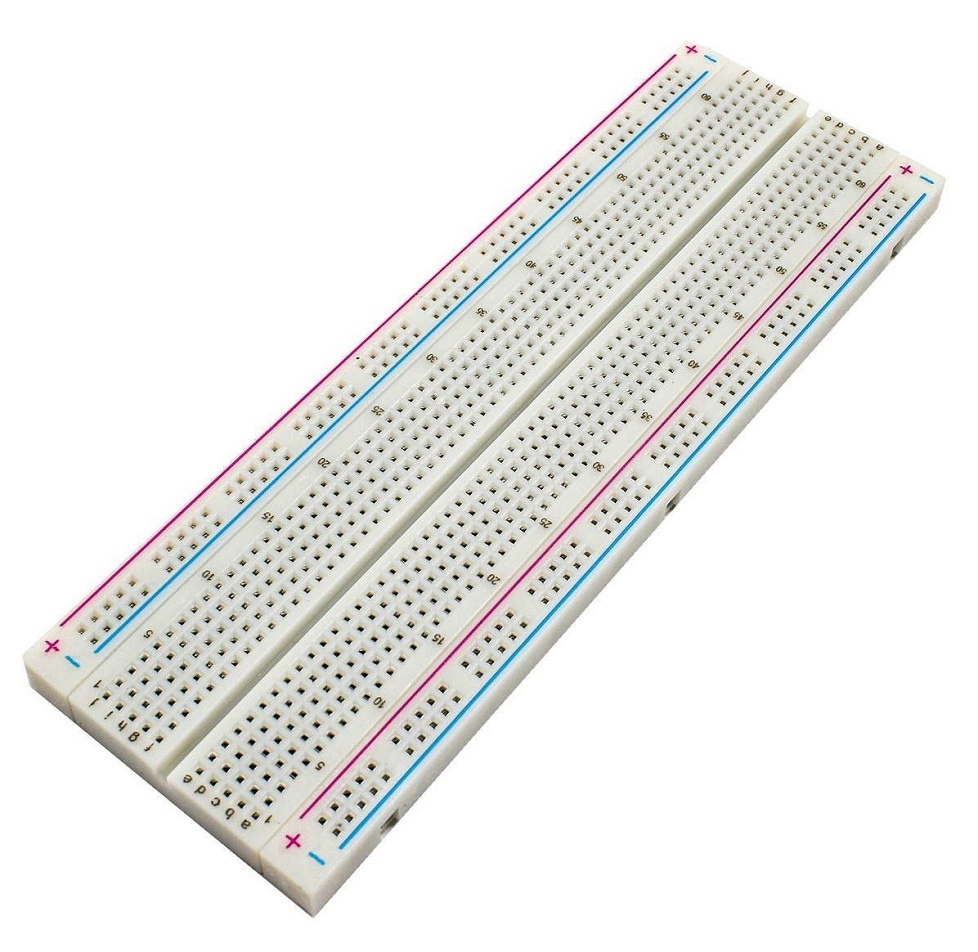

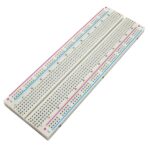
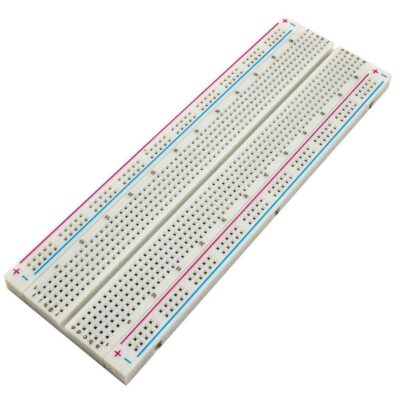
برد بورد Bread Board مدل MB 102
۱۰۵,۰۰۰ تومان
| Materials |
Platinum and plastic coating |
|---|---|
| Color |
milky white |
| Dimensions |
16.5×5.5x1cm |
موجود در انبار
15
نفر در حال مشاهده این محصول هستند!
توضیحات
Bread Board model MB 102
Boards are one of the most important and widely used tools in project testing.
With the help of this board, you can easily arrange the parts on it and make connections.
In this case, there is no need for soldering and after finishing your work, you can simply remove the parts from the board.
MB102 model board is a very practical board.
With the help of this board, you can easily place other parts such as capacitors, resistors, etc. on it.
You can also place the MB102 power supply module on this board.
In this way and simply, you can supply power to the parts connected to the board.
Internal Connections
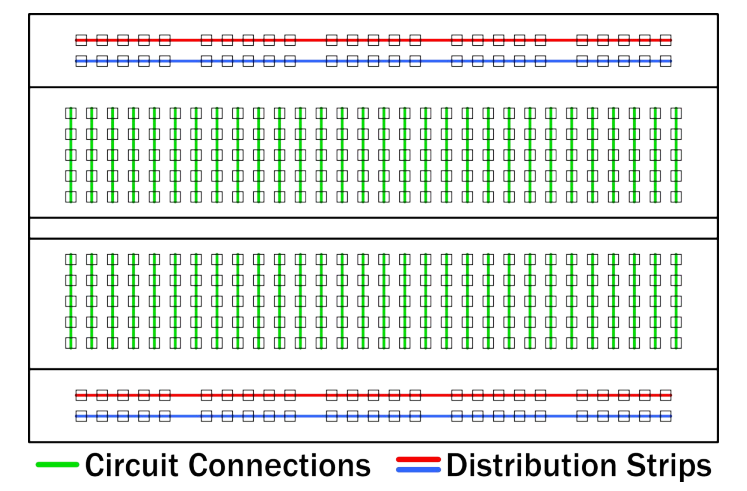
Note that the top and bottom rows of holes are connected horizontally and split in the middle while the remaining holes are connected vertically.

How to use a Breadboard?
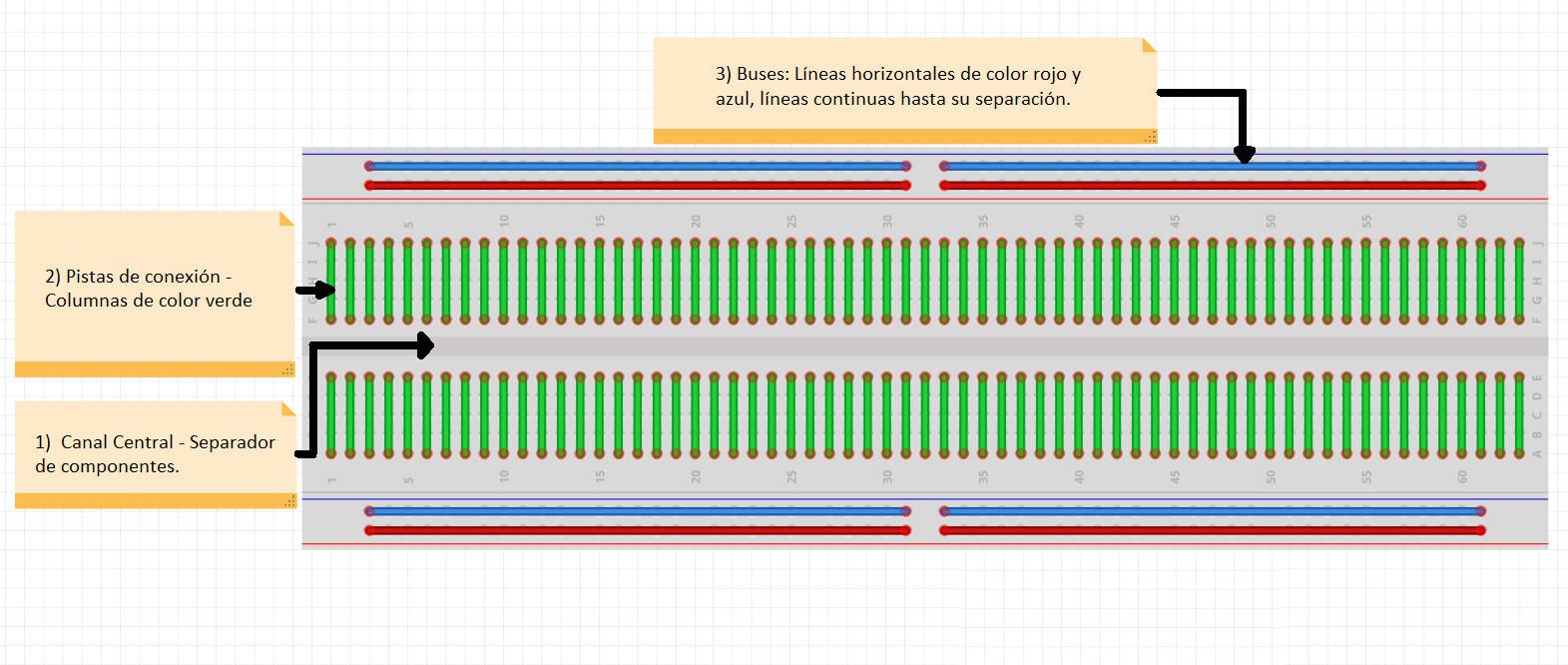
A breadboard is divided into 3 regions
1.Central channel
It is the region located in the middle of the breadboard, it is used to properly place integrated circuits.
2.Buses
The buses are located at both ends of the Breadboard, they are represented by the red lines (positive or voltage buses) and blue (negative or ground buses) and they drive according to these, there is no physical connection between them. The power supply is usually connected here.
3.Connection tracks
The tracks are located in the central part of the Breadboard, here you can connect your circuit considering that they are vertical columns in a linear manner.
Errors when connecting components to a breadboard
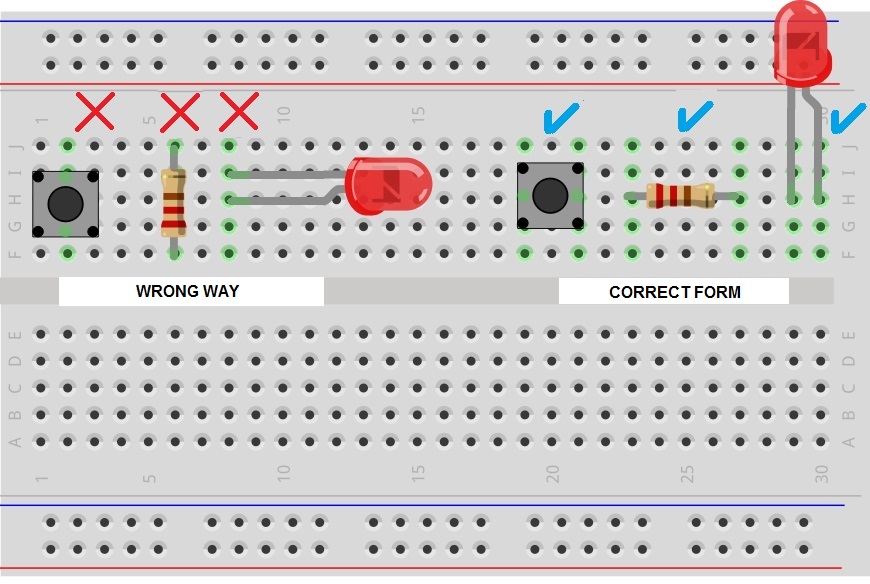
The typical mistake when connecting a component to the Breadboard is to connect it to a single vertical connection track, this is wrong and will short the component so each pin has to be connected to a different connection track.
The following image shows the correct and incorrect way to insert components into a breadboard