
- پروگرامرها
- دما و رطوبت
- سایر ماژول ها
- سنسور بخار سرد
- کی پد و جوی استیک
- ماژول GPS-GPRS
- ماژول رله و سوییچ
- ماژول شبکه
- ماژول نمایشگر
- ماژول های RF
- ماژول های RFID
- ماژول های پخش صدا
- ماژول های پردازش تصویر
- ماژول های تاریخ و ساعت
- ماژول های تغذیه – ولتاژ – جریان
- ماژول های ذخیره داده
- ماژول های شتاب سنج و ژیروسکوپ
- ماژول های مبدل
- ماژول های محافظ شارژ باتری
- ماژول های مولد پالس
- ماژول ولتمتر و آمپرمتر
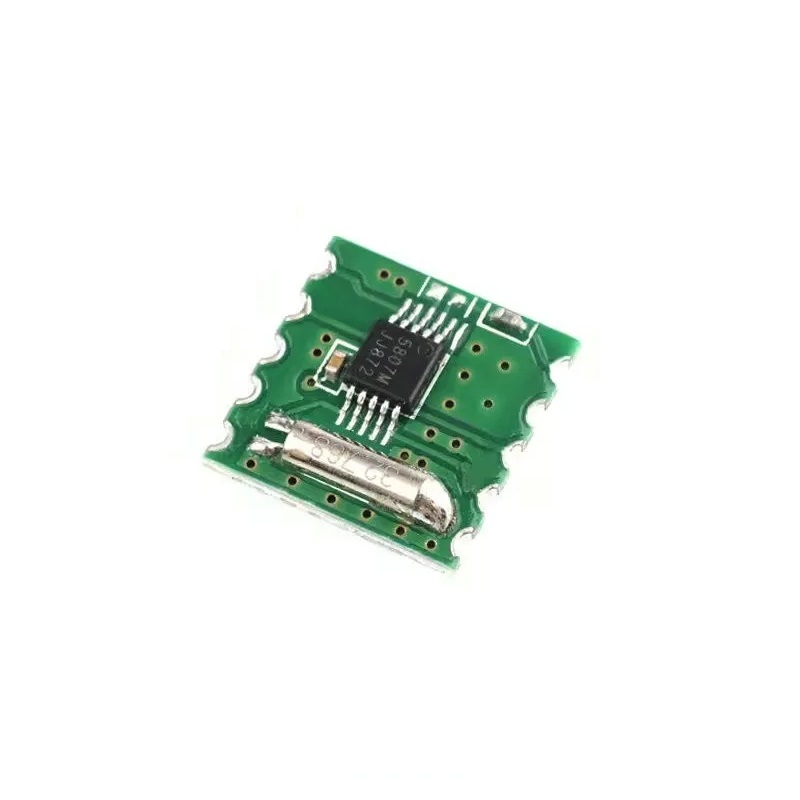
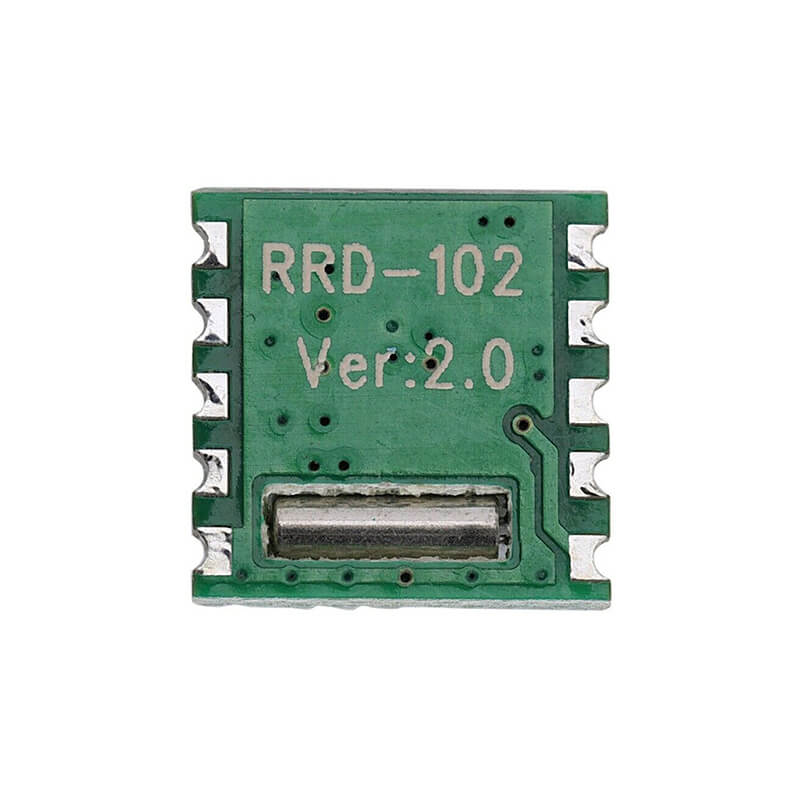
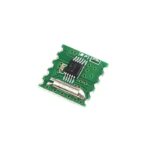
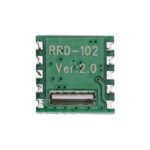
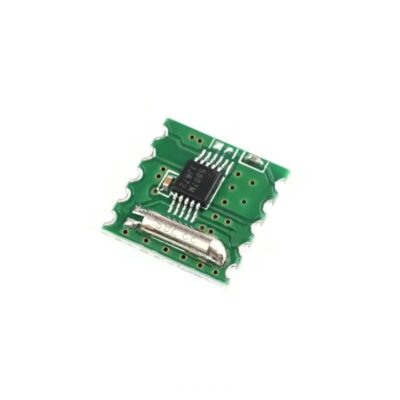
ماژول رادیو FM استریو RDA5807M
22
نفر در حال مشاهده این محصول هستند!
توضیحات
RDA5807M Stereo FM Radio Module
RDA5807M FM Stereo Radio Module is a small module that allows you to tune and receive FM radio frequency signals from 50 to 115MHz, which means that it can pick up radio stations that transmit on modulated frequencies (FM), ideal for portable FM radios.
The module is based on the RDA5807M integrated circuit which allows you to tune FM radio stations using fewer external components, it features a common 102BC module package, high power, a low noise figure, supports a frequency band of 50 to 115MHz.
Application
Cellular handsets
MP3, MP4 players
Portable radios
PDAs, Notebook
SPECIFICATIONS AND FEATURES
Encapsulated: 102BC
Assembly: Assembly Required
Pins: 10
Current: 10mA
Supply voltage: 3 – 3.3V
Output impedance: 32 Ω
Frequency band: 50 ~ 115MHz
Channel spacing mode: 100KHz, 200KHz, 50KHz and 25KHz
Reference clock: 32.768KHz 12M, 24M, 13M, 26M, 19.2M, 38MHz
Programmable offset: 50/75 µs
Dimensions: 11.22×10.93x2mm
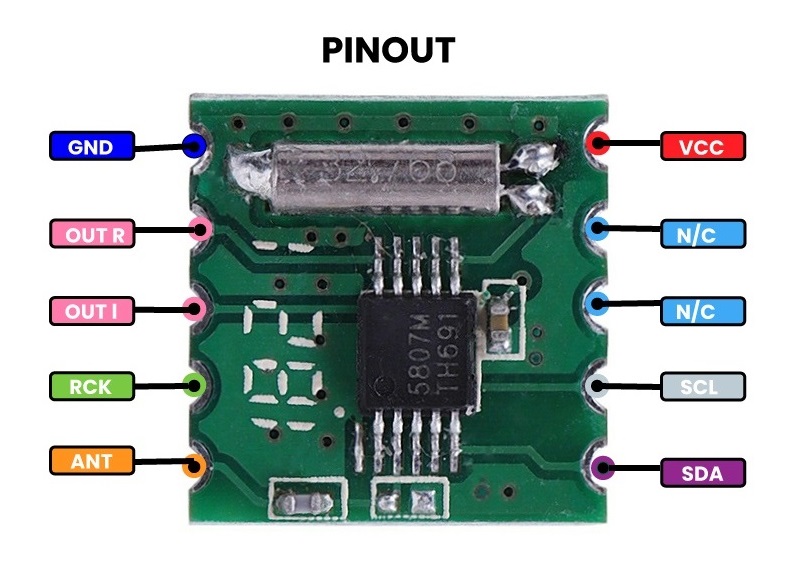
Basic operating steps
One of the most common projects carried out with this module is the creation of an FM Radio, to do this you need some extra components such as a Micro USB to DIP PCBA , a speaker , a touch sensor module , potentiometers , an LCD module and an amplifier module.
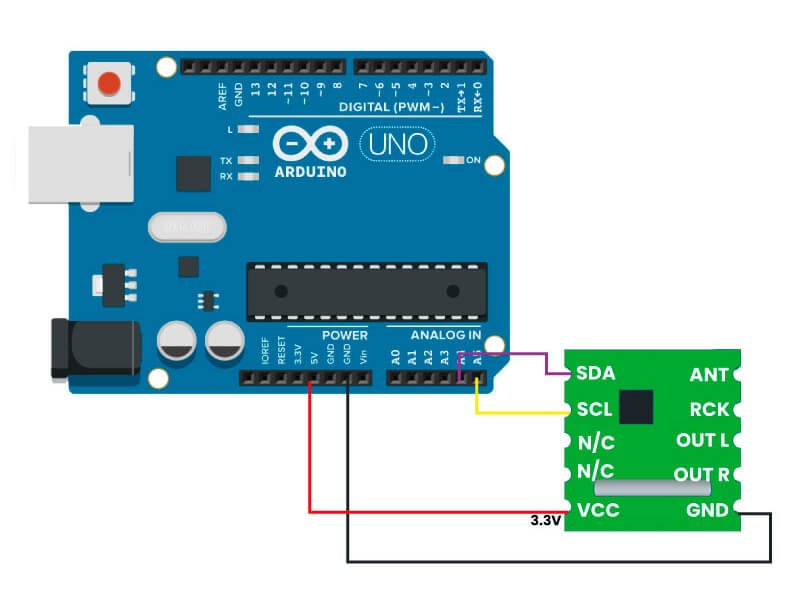
Then install the Radio library . To do this, you can use the Arduino IDE Library Manager by clicking on the library manager and typing radio in the search box, select the Radio by Matthias Hertel option or by installing the library .ZIP file by following the path: Sketch>Include library>Add .ZIP library.
Once you have installed the library, upload the following program to your Arduino and that’s it!
/// file TestRDA5807M.ino
/// description An Arduino sketch to operate an RDA5807M IC using the radio library.
///
/// Author Matthias Hertel, http://www.mathertel.de
/// copyright Copyright (c) 2014 by Matthias Hertel.n
/// This work is licensed under a BSD style license. See http://www.mathertel.de/License.aspx
///
/// details
/// This sketch implements a radio in the "simplest way" without the possibility to modify the settings after initializing the IC.n
/// The RDA5807M IC is initialized and configured to a fixed frequency band. These settings can be changed by modifying
/// the definitions of FIX_BAND and FIX_STATION.
///
/// Open the Serial Monitor at 115200 baud to see the current information.
///
/// Connection
/// ------
/// The RDA5807M IC/module must be connected using the following connections:
///
/// | Signal | Arduino UNO | ESP8266 | ESP32 | Radio IC Signal |
/// | -------------- | ------------| ------- | ------ | --------------------- |
/// | VCC (red) | 3.3V | 3v3 | 3v3 | VCC |
/// | GND (black) | GND | GND | GND | GND |
/// | SCL (yellow) | A5 / SCL | D1 | 22 | SCLK |
/// | SDA (blue) | A4 / SDA | D2 | 21 | SDIO |
///
/// The location of the signals on the RDA5807M side depends on the module you are using.
/// You can find more documentation at http://www.mathertel.de/Arduino
/// The source code is available at https://github.com/mathertel/Radio
///
/// Changelog:
/// ----------
/// * 2014-12-05 created.
/// * 2015-05-19 Extended.
#include <Arduino.h>>;
#include <Wire.h>;
#include <radio.h>;
#include <RDA5807M.h>;
// ----- Fix settings here. -----
#define FIX_BAND RADIO_BAND_FM /// The band that will be tuned by the Sketch is FM.
#define FIX_STATION 9930 /// The radio station that will be tuned by the Sketch is 99.30MHz.
#define FIX_VOLUME 10 /// The volume that will be set by this Sketch is level 4.
RDA5807M radio; // Create an instance of the Class for the RDA5807M IC
/// Set an FM-only radio configuration
/// with some debugging in the Serial Monitor
void setup() {
delay(3000);
// Initialize Serial communication
Serial.begin(115200);
Serial.println("RDA5807M Radio...");
delay(200);
// Enable information to the Serial Monitor
radio.debugEnable(true);
radio._wireDebug(false);
// Set FM options for EU
radio.setup(RADIO_FMSPACING, RADIO_FMSPACING_200); // for EU
radio.setup(RADIO_DEEMPHASIS, RADIO_DEEMPHASIS_75); // for EU
//Initialize the radio
if (!radio.initWire(Wire)) {
Serial.println("no radio chip found.");
delay(4000);
};
// set all radio settings to the values in the array
radio.setBandFrequency(FIX_BAND, FIX_STATION);
radio.setVolume(FIX_VOLUME);
radio.setMono(false);
radio.setMute(false);
} // setup
/// Display current CI information every 3 seconds.
void loop() {
char s[12];
radio.formatFrequency(s, sizeof(s));
Serial.print("Station:");
Serial.println(s);
Serial.print("Radio:");
radio.debugRadioInfo();
Serial.print("Audio:");
radio.debugAudioInfo();
delay(3000);
} // loop
// End.
نظرات (0)
برای فرستادن دیدگاه، باید وارد شده باشید.


نقد و بررسیها
هنوز بررسیای ثبت نشده است.