
- پروگرامرها
- دما و رطوبت
- سایر ماژول ها
- سنسور بخار سرد
- کی پد و جوی استیک
- ماژول GPS-GPRS
- ماژول رله و سوییچ
- ماژول شبکه
- ماژول نمایشگر
- ماژول های RF
- ماژول های RFID
- ماژول های پخش صدا
- ماژول های پردازش تصویر
- ماژول های تاریخ و ساعت
- ماژول های تغذیه – ولتاژ – جریان
- ماژول های ذخیره داده
- ماژول های شتاب سنج و ژیروسکوپ
- ماژول های مبدل
- ماژول های محافظ شارژ باتری
- ماژول های مولد پالس
- ماژول ولتمتر و آمپرمتر

کپی
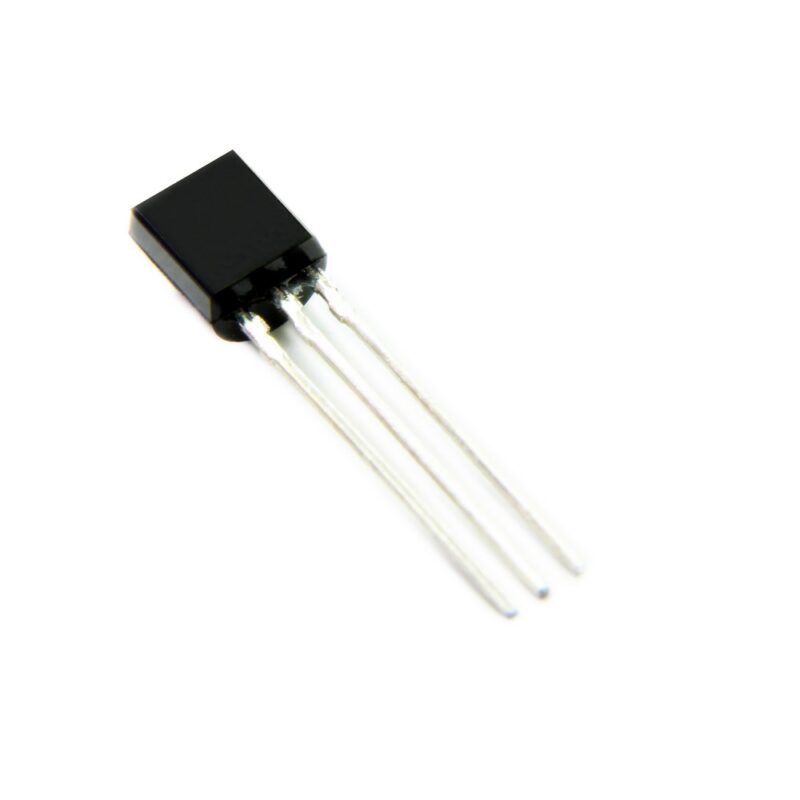
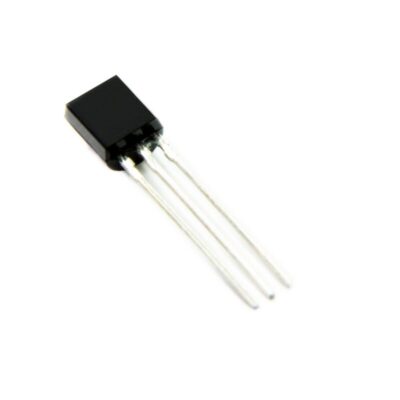
سنسور دمای دیجیتال DS18B20
| Output Type | Digital |
|---|---|
| Accuracy | 0.5 C° |
| Configuration | Local |
| Resolution | 12bit |
| Interface Type | 1-Wire |
| Type | Thermometers and Thermostats |
| Mounting Style | Through Hole |
| Supply Voltage (Min) | 3V |
| Supply Voltage (Max) | 5.5V |
| Minimum Operating Temperature | -55 C° |
| Maximum Operating Temperature | 125 C° |
| Brand | Dallas Semiconductor |
| Package | TO-92 |
19
نفر در حال مشاهده این محصول هستند!
توضیحات
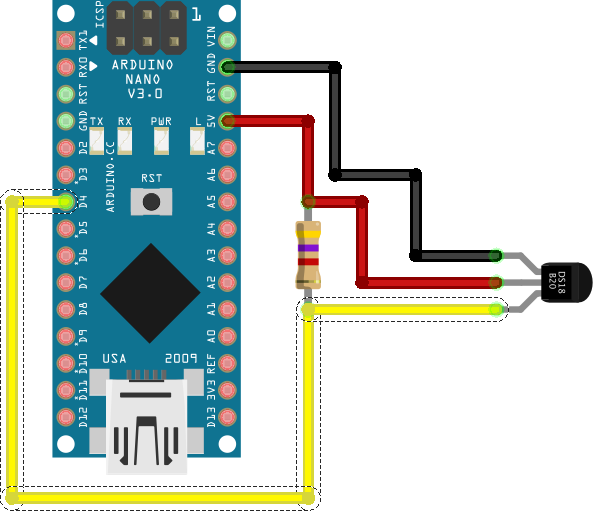
Example
In order to read the temperatures of the DS18B20, we need to use the 1-Wire library and the library Dallas Temperature.
In the first example, we will read a single sensor located on digital pin 5.
#include <OneWire.h>
#include <DallasTemperature.h>

const int oneWirePin = 5;

OneWire oneWireBus(oneWirePin);
DallasTemperature sensor(&oneWireBus);

void setup() {
  Serial.begin(9600);
  sensor.begin();
}

void loop() {
    Serial.println("Leyendo temperaturas: ");
  sensor.requestTemperatures();

  Serial.print("Temperatura en sensor 0: ");
  Serial.print(sensor.getTempCByIndex(0));
  Serial.println(" ºC");

  delay(1000);
}
When using the getTempCByIndex function, the index is the sensor number. With this function we can read more than one sensor installed on a bus, but we would have problems knowing which sensor is which index.
Therefore, in case of having multiple sensors, it is normal that we access directly through the 64-bit address of the device. To know this address, we have to use the following sketch, which scans the 1-Wire bus and displays its address in hexadecimal (grouped into 8 two-digit numbers) on the screen.
#include <OneWire.h>

const int oneWirePin = 5;
OneWire oneWireBus(oneWirePin);

void setup(void) {
  Serial.begin(9600);
  discoverOneWireDevices();
}

void discoverOneWireDevices(void) {
  byte i;
  byte present = 0;
  byte data[12];
  byte addr[8];

  Serial.println("Buscando dispositivos 1-Wire");
  while(oneWireBus.search(addr)) {
    Serial.println("Encontrado dispositivo 1-Wire en direccion");
    for( i = 0; i < 8; i++) {
      Serial.print("0x");
      if (addr[i] < 16) {
        Serial.print('0');
      }
      Serial.print(addr[i], HEX);
      if (i < 7) {
        Serial.print(", ");
      }
    }
    if ( OneWire::crc8( addr, 7) != addr[7]) {
        Serial.print("Error en dispositivo, CRC invalido!\n");
        return;
    }
  }
  Serial.println("Búsqueda finalizada");
  oneWireBus.reset_search();
  return;
}

void loop(void) {
  // nada que hacer aqui
}
Once we have the device addresses, we could read multiple sensors on the same 1-Wire bus.
In the following example we read two sensors from which we have already obtained their address, one inside and one outside a home, accessing through its address.
#include <OneWire.h>
#include <DallasTemperature.h>

const int oneWirePin = 5;

OneWire oneWireBus(oneWirePin);
DallasTemperature sensors(&oneWireBus);

DeviceAddress insideThermometer = { 0x28, 0x94, 0xE2, 0xDF, 0x02, 0x00, 0x00, 0xFE };
DeviceAddress outsideThermometer = { 0x28, 0x6B, 0xDF, 0xDF, 0x02, 0x00, 0x00, 0xC0 };

void setup(void)
{
  Serial.begin(9600);
  sensors.begin();
  sensors.setResolution(insideThermometer, 10);
  sensors.setResolution(outsideThermometer, 10);
}

void printTemperature(DeviceAddress deviceAddress)
{
  float tempC = sensors.getTempC(deviceAddress);
  if (tempC == -127.00) {
    Serial.print("Error getting temperature");
  } else {
    Serial.print(tempC);
  Serial.println(" ºC");
  }
}

void loop(void)
{

  Serial.println("Leyendo temperaturas");
  sensors.requestTemperatures();

  Serial.print("Temperatura interior: ");
  printTemperature(insideThermometer);
  Serial.print("Temperatura exterior: ");
  printTemperature(outsideThermometer);
  Serial.println("-------");

  delay(2000);
}
نظرات (0)
برای فرستادن دیدگاه، باید وارد شده باشید.

نقد و بررسیها
هنوز بررسیای ثبت نشده است.